Keep withdrawals off on the Binance API key you give an AI trading bot
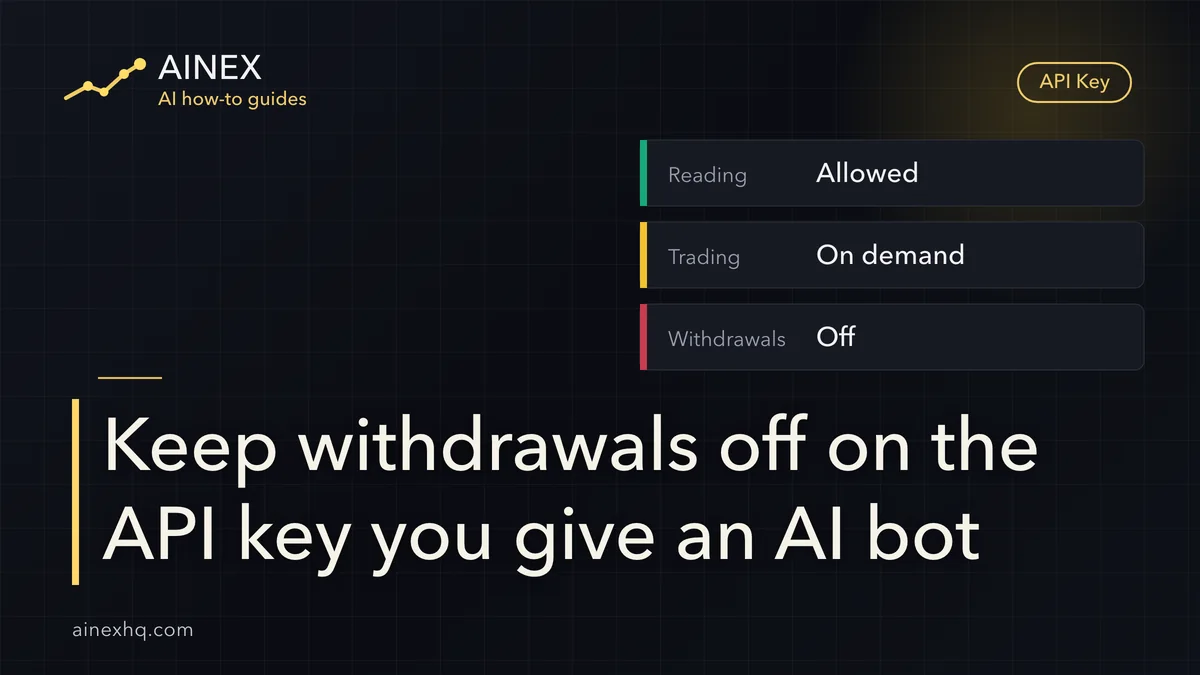
On the Binance API key you hand to an AI trading bot, turn on reading, add trading permission only for what the bot actually does, and leave withdrawals off. Binance's Help Center states that “adding IP access (IPv4 format) restrictions is mandatory to enable withdrawal permission.” With the default security controls on, a system-generated HMAC key without an IP restriction gets no permission beyond reading.
Whether this is safe depends on three things: what the key can do, which machine can use it, and where it is stored once you hand it over. Binance Academy's article What Are API Keys and Security Types? warns that API keys give full access to a Binance account through the APIs, so a leaked key hands that access to someone else, and that limiting permissions to the minimum necessary reduces the risk if a key is ever compromised.
This guide covers one setup only: you create an API key yourself and give it to a third-party tool or to an AI script you wrote. Binance's own AI Pro is outside its scope.
Tick only reading and the trading permission an AI bot will use
Of Binance's API permission options, these are the ones that matter for a trading bot. Binance's advice is to enable only the options a specific need requires, and to use separate keys for different sets of restrictions.
| Permission option | What it allows | What it doesn't allow | For an AI bot |
|---|---|---|---|
| Enable Reading | GET requests only: account information, balances, transaction history | Placing orders, or anything else that changes the state of the account | Leave it on; if the AI only reads holdings or reviews trades, this is all it needs |
| Enable Spot & Margin Trading | Placing orders and other trading operations on the spot (and margin) market | Borrowing and repaying, transfers between accounts, and withdrawals, which each have their own option | Turn it on only if the AI is to place spot orders |
| Enable Margin Loan, Repay & Transfer | Borrowing, repaying and transferring within margin trading | Withdrawing to an external address, which falls under the withdrawal permission | Leave it off unless you want the AI to borrow and trade on margin |
| Permits Universal Transfer | Moving funds between account types inside your own account, for example from Spot to USDⓈ-M Futures | Moving assets to an external address, which falls under the withdrawal permission | Leave it off if the bot never needs to move funds around |
| Enable Withdrawals | Withdrawing assets through the API | Can't be switched on without an IPv4-format IP access restriction | Leave it off |
| Enable Symbol Whitelist | Limiting the trading pairs the key can work with, for example BTC/USDT only | Trading any pair outside the list | Use it when the bot trades only a fixed few pairs |
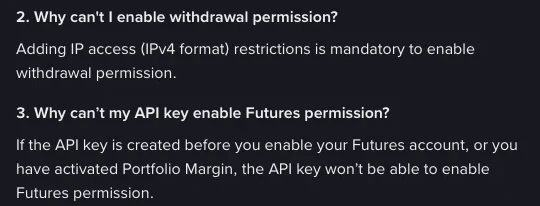
Two limits to keep in mind. With the default security controls on, a system-generated HMAC key without an IP restriction can't have any permission in this table except reading. And withdrawals can't be turned on until you add an IPv4-format IP access restriction.
A read-only dashboard needs neither trading nor withdrawal permission, and a trading bot needs only spot or futures trading permission, not withdrawal access. Different jobs get different keys: one read-only key for an AI that only reads holdings, writes trade reviews or sends market alerts, and a separate key with trading permission for one that actually places orders. How far an AI can take chart-watching and order placement is broken down in Can GPT-5.6 Watch Charts and Trade for You? The Limits.
Why a system-generated Binance API key without an IP restriction can only read
Binance's Help Center article How to Create API Keys on Binance? explains that, to remain compliant with the latest industry requirements, Binance updated its API services: from 00:00 UTC on 30 January 2023, a system-generated API key can only be set to Enable Reading if its IP is unrestricted. Binance also strongly recommends against enabling any permission other than reading without appropriate IP access restrictions.
To unlock anything beyond reading there are three routes: add an IPv4-format IP access restriction, switch to a self-generated key (Ed25519 or RSA), or disable the default security controls. The third tears down this layer of protection and isn't worth it for a key meant for an AI bot. A passphrase-protected Ed25519 key whose use is also restricted to specific IP addresses is the safer combination.
Withdrawal permission never goes to a bot: if an AI tool asks you to enable withdrawals on the key, don't connect that tool.
Which address goes in the IP whitelist
Enter the public IPv4 address of the machine that sends the API requests. If the bot runs on your own computer or server, look up that machine's public IP with a site such as ipify or from the command line, copy it, and paste it into the “Restrict access to trusted IPs only” field. If the tool runs on someone else's server, the tool's provider has to give you the IP. If they can't, a system-generated key stays limited to reading while the default security controls are on.
Where to find Binance API Management, and how to set up a new key for a bot
On the website, log in, click the profile icon and go to [Account], then under [API Management] click [Create API]. In the app, switch to Binance Pro, tap [More] to open the Services panel, scroll to the [Other] section, tap [API Management], then [Create API]. Before you can create a key, you need two-factor authentication (2FA) turned on, a deposit of any amount in your Spot Wallet to activate the account, and completed identity verification. During creation you choose the key type, enter a label or name, and finish with a 2FA check.
Once the key exists, and before you hand it over, go through it item by item:
- Use the tool's name as the label. When the list holds several keys later on, you can tell at a glance which one went to whom.
- Keep only reading and the trading permission the bot really uses. Leave withdrawals unticked, and leave Universal Transfer and margin loans unticked too if the bot has no use for them.
- Fill in the IP access restriction with the public IPv4 you found in the previous section. Don't leave it blank.
- If the bot only trades a fixed set of pairs, turn on the symbol whitelist to narrow what it can reach.
- If you only want to try the bot with part of your funds, a sub-account works: giving an account access to limited resources is one of the cases Binance names for sub-accounts.
- A system-generated key gives you two values: the API key and the Secret Key. Neither goes into source code or gets committed to a repository. How to store them once a program uses them is covered next.
Where the API key and private key live once a program has them
Binance Academy strongly advises against storing the API key, Secret Key or private key in plain text anywhere. The same article also describes two ways to store them, configuration files and environment variables. The two pieces of advice don't clash, because the usual practices each cover a different layer, and none of them can stand in for another:
- A passphrase on the private key: with a self-generated key, Binance strongly recommends an Ed25519 private key with a passphrase; without the passphrase, the private key file is useless even to someone holding it. This layer answers “can the file be used if it falls into someone else's hands?” System-generated HMAC keys don't have this layer; Binance's advice for them is to rotate them regularly, never store them in plain text and never hardcode them.
- Injecting secrets at runtime: with an environment variable, the secret is fetched outside the program and handed to it at launch. Binance's example runs a script that fetches the password, puts the result in an environment variable, then starts the program. This layer keeps the key out of the source code.
- File permissions: give read access to the config file and the private key file only to the system account that runs the bot. This layer stops other accounts on the same machine from casually opening those files; it doesn't replace a passphrase on the private key.
.gitignoreor a folder outside the project directory: keeping the config file out of Git tracking only solves “it doesn't end up in the code repository”. The file itself is still plain text that anyone who copies it can read, so it doesn't count as encryption.
Binance also recommends pointing the program to the path of the private key file rather than embedding the key itself in the code, and handling the API key and Secret Key the same way.
Delete and recreate the API key after a leak, or when you drop the tool
Leaving withdrawals off doesn't mean a lost key costs you nothing. Take a hypothetical case: you connect a trading bot with a self-generated Ed25519 key, enable reading and spot trading, leave withdrawals off and bind no IP. The private key file has no passphrase and gets pushed to a public code repository together with the config. Whoever finds it can't withdraw your coins, but can use the key to place spot orders at will, trading in and out and buying high and selling low on thinly traded pairs, and the losses come out of your account. An IP binding doesn't save you either if the server running the bot is itself taken over.
If this happens, or you only suspect a leak (say the key was accidentally pushed to a Git repository), act right away along the lines Binance Academy sets out:
- Delete the key in Binance API Management and create a new one.
- Check the account for unauthorized activity, going through both your order history and your trade history.
- Turn on IP restrictions for the new key.
- Don't store the new key in the place where the old one was exposed.
Beforehand, what you can do is shrink the damage any single key can cause:
- Put only the pairs the bot trades on the symbol whitelist; the key can't touch any pair outside it.
- Let the IP whitelist admit only the public IPv4 of the machine running the bot; requests made with this key from any other address are rejected. It restricts which IP a request comes from and doesn't tie the key to a particular device, so if you suspect a leak you still delete the old key and generate a new one.
- Use a separate key for each purpose: one for a read-only dashboard, another for an order-placing bot. If one is compromised, you delete that one and the others keep working.
- Put a passphrase on a self-generated private key, so the file is useless if someone takes it.
Rotate keys even when nothing has gone wrong: generate new ones and remove old ones regularly, ideally every month or more often. When you stop using an AI tool or switch to another one, delete the key you gave it. If the list shows a key you don't recognize, check its label first and work out whether another program of yours relies on it, because once it is deleted, every program using that key loses its connection.
Pasted keys, exposed read-only keys and missing Futures permission
Is it safe to paste a Binance API key into ChatGPT?
Better not. Once pasted, the key stays in the chat history in plain text, and the API key, Secret Key and private key shouldn't be stored in plain text anywhere. If you already pasted one, treat it as a suspected leak: delete the key in API Management, generate a new one, and check the account for unauthorized activity.
What happens if someone gets an API key that only has reading enabled?
They can see data such as account information, balances and transaction history. Reading permission only allows requests that retrieve account information and can't place orders or change the state of the account, but your account details are already exposed, so handle it as a leak anyway: delete the key and generate a new one.
Why can't my new Binance API key enable Futures permission?
Two situations cause this: the API key was created before the Futures account was enabled, or the account has Portfolio Margin activated. If either applies, that key can't enable Futures permission.
Keep reading
Can GPT-5.6 Watch Charts and Trade for You? The Limits
How far AI can go in watching the market and placing orders for you.
Binance AI Pro Price: Free Basic vs 19.99 USDC Premium
How Binance Ai Pro is charged, and what happens to positions when a plan ends.
How Much to Start With: Test Small, Skip the Tuition
Before funding a bot trial, set a cap on what you can afford to lose.