Binance Ai Pro subscription fees and the rules for its AI sub-account
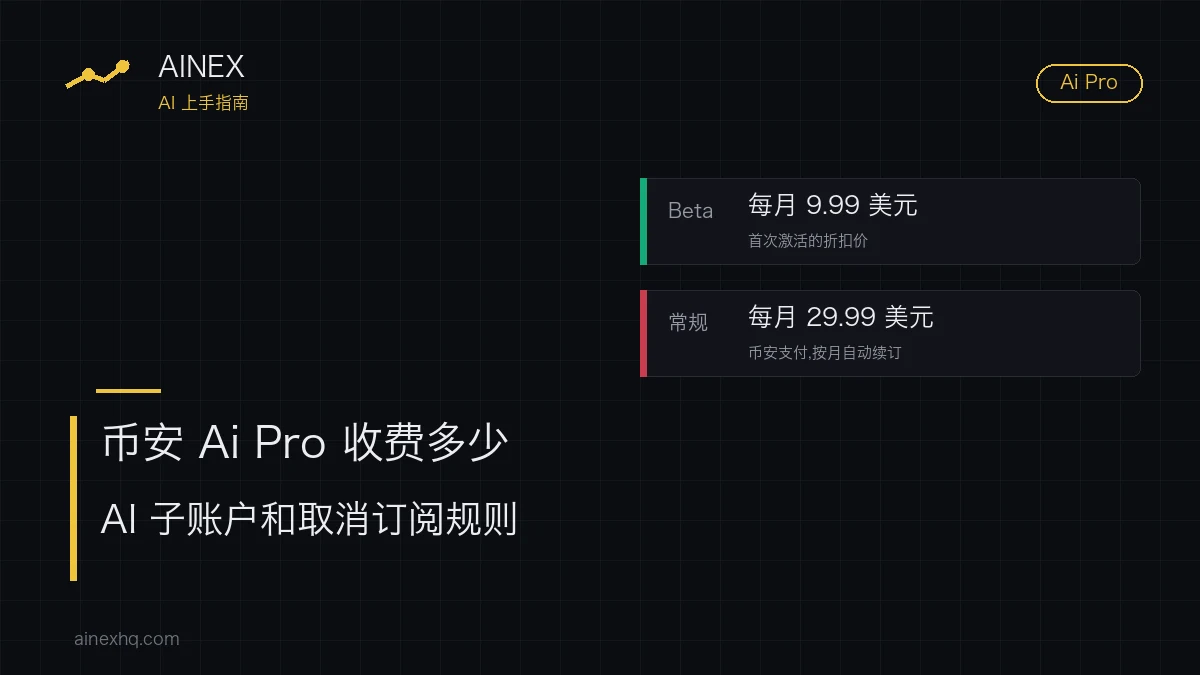
During its Beta, first-time activation of Binance Ai Pro is discounted to $9.99 a month; the regular subscription is $29.99 a month. You pay through Binance Pay, the plan renews automatically every month, and you can turn it off at any time. First-time activation comes with a 7-day free trial, and turning it off within the trial costs nothing.
On the money side, activation opens a separate AI sub-account, which Binance calls the Binance Ai Pro account. The AI API key tied to it has no withdrawal or transfer permissions, and funds in your main account are kept apart from it. Whether the AI's orders in that sub-account make or lose money depends on how the AI itself operates; Binance doesn't step in. The moment to think through before you sign up is the moment you stop: if you cancel or the subscription expires, the AI's trading strategy ends and the positions in the AI account are closed.
How much does Binance Ai Pro cost per month?
The pricing rules sit in the payment section of the Binance Academy guide to Binance Ai Pro (what it is and how to use it). The price, trial length and number of credits on the Binance Ai Pro product page and in the launch announcement match it.
| Item | Rule |
|---|---|
| First activation during the Beta | $9.99 a month, marked as a discounted price |
| Regular subscription | $29.99 a month |
| How you pay | Binance Pay |
| Renewal | Renews automatically every month; you can turn it off at any time |
| Free trial | First activation only, 7 days; turning it off during the trial costs nothing |
| Credits included | 5 million after activation, reset at the end of each billing cycle; unused credits don't carry over |
How many months the $9.99 discount lasts, and when the Beta ends, neither the Academy guide nor the product page says. The guide's wording is: “During the Beta phase, your initial activation charge will be discounted to $9.99 per month, and afterwards the regular monthly charge will be $29.99/month.” The product page also calls $29.99 the “regular monthly charge”.
Here is what each price comes to over a year, leaving out the 7 trial days:
- 12 months at the discounted price: $9.99 × 12 = $119.88;
- 12 months at the regular price: $29.99 × 12 = $359.88;
- the difference is $359.88 − $119.88 = $240, or $29.99 − $9.99 = $20 a month.
If prices stay as they are, what you actually pay in a year lands somewhere between those two figures, depending on how long the discount lasts. When weighing whether it's worth it, we'd rather think in terms of $29.99: sign up only if it still looks worthwhile at the regular price, and it won't suddenly feel expensive once the discount ends.
What happens when the 5 million Ai Pro credits run out?
Once the credits are used up, the system switches you to the basic AI model automatically, and you can keep going without usage limits. The 5 million credits are for the advanced AI models, which handle complex tasks.
Credits follow the billing cycle. They reset monthly at the end of each billing cycle, nothing left over carries into the next month, and each new cycle starts again at 5 million. How many a task uses depends on which model you call.
The launch announcement mentions, among its plans, letting users buy extra advanced credits manually within a usage cycle. That is still a plan; the rule on the product page today remains 5 million a month, with a switch to the basic model once they're gone.
Cancelling or letting it expire closes the AI account's positions
The last sentence of the guide's payment section deals with the positions in the AI account:
On cancellation or expiry: in the guide's words, “if you choose to cancel your subscription, or your subscription expires, … the AI-based trading strategies you’ve put in place will be terminated, and your positions in the AI account will be closed.”
That covers two situations: you hit cancel yourself, or the subscription runs out. The result is the same either way: the strategies stop and the holdings in the AI account are closed. The guide only says positions, without separating spot from futures; once they're closed, any floating profit or loss becomes realized.
If you'd rather pick the moment to wind things up yourself, before you cancel:
- go into the AI account and see which positions are still open and which strategies are still running. Ai Pro can trade spot and perpetual futures and use margin borrowing, so check all three;
- then, with the market at the time in mind, decide which day to cancel.
If you're still inside the 7-day trial and plan to turn it off, check the AI account for open positions first as well.
Can the AI move money out of the sub-account?
When you activate Ai Pro, the system automatically creates a Binance Ai Pro account (a virtual sub-account) and binds an AI API key to it. According to the Binance Academy guide, that key has no withdrawal or transfer permissions, and funds in the main account and the Ai Pro account are isolated and managed separately. The product page says the same: the AI API key only works within the scope you authorize, and the main account and the AI account are isolated from each other.
As for how money gets into the AI account, the launch announcement says you transfer it over manually from your main account. Going by this design, the only funds the AI can trade with are the ones you've moved into the AI account; it can't move coins out of your main account, or trade with them.
Inside the sub-account, Ai Pro can place spot and perpetual futures orders, borrow on margin, analyse prices, look up token distribution for on-chain wallet addresses, and run custom trading strategies. The product page adds that whether each product is available depends on your country of residence and local regulations. The guide's section on security and risk says that the AI carries out automated trading, that Binance doesn't interfere with what the AI does and doesn't provide any trading strategy or advice, and that profit or loss depends on how the AI itself operates; the product page also says Binance isn't responsible for the results of AI trading.
What the AI is allowed to do comes down to the permissions you set after activation. Before the account is ready to use, there's some setup to finish, such as choosing which actions the AI may carry out; to change them later, go to the account permissions in the settings at any time. If perpetual futures and margin borrowing are still unfamiliar to you, don't open them up to the AI at this step. The first time you move money into the AI account, make it a small amount you could afford to lose, watch how it places orders, and then decide whether to add more. For how far AI can go in reading the market and placing orders for you, there's a closer look in Can GPT-5.6 watch the market and trade for you?
Activating Binance Ai Pro in the app and on the web
Ai Pro is an upgrade of Binance Ai, the chatbot built into the platform. On top of it, Ai Pro connects models such as ChatGPT, Claude, Qwen, MiniMax and Kimi, integrates with Binance Skills, and is built on the open-source OpenClaw ecosystem. The developer-facing side of Binance Skills has its own piece: What Binance AI Agent actually is, and whether beginners need it. The way in follows Binance Ai:
- App: tap your profile and open the “Help and Support” tab under Services; Binance Ai is also in your Messages tab. Hit “Activate” in the top-right corner to upgrade to Binance Ai Pro.
- Web: the top navigation bar on the homepage has a Binance Ai entry; click Activate in the top-right corner.
The product page describes the entry points a little differently: in the app, through the Binance AI icon on the homepage or the messages in the top-left corner; on the web, after logging in, through the More menu in the top navigation bar. When the two descriptions don't match, look for the Binance Ai entry itself.
Once you've activated it, it isn't ready straight away. The AI needs some time to get set up, and after that you still have to finish the account setup, meaning the AI permissions covered in the previous section.
On an iPhone? The Binance Academy guide says: “Once you activate Binance Ai Pro on any platform, your access will apply across all platforms (iOS, Android, and Web).” The product page and the launch announcement say: “Activation is currently available on Android only. iOS activation support is coming soon”, with access syncing to Android and web after activation. The two don't agree. On an iPhone, go by whether the activate button shows up in the app; if it doesn't, both sources list web activation, so try it on the web instead.
If the activate button doesn't appear on Android or the web either, it may be a regional restriction: the launch announcement opens with a note that the products and services it describes may not be available in your region.
The 7-day trial costs nothing if you turn it off in time
Does Binance Ai Pro start charging automatically when the free trial ends?
Binance's pages don't say how billing works on the day the trial ends. What it does state is that first activation comes with a 7-day free trial, turning it off during the trial costs nothing, and the subscription renews monthly through Binance Pay. If you don't want to pay, turn it off within those 7 days.
Keep reading
What Binance AI Agent actually is, and whether beginners need it
The developer-facing side of the Binance Skills that Ai Pro builds on.
Can GPT-5.6 watch the market and trade for you?
Fine as a research assistant; think hard before handing it the trading.
How much to start with, and how to test small without paying tuition
The first transfer into the AI account should also be money you can afford to lose.