Binance Convert has no separate 0.1% fee, but the cost is in the quote
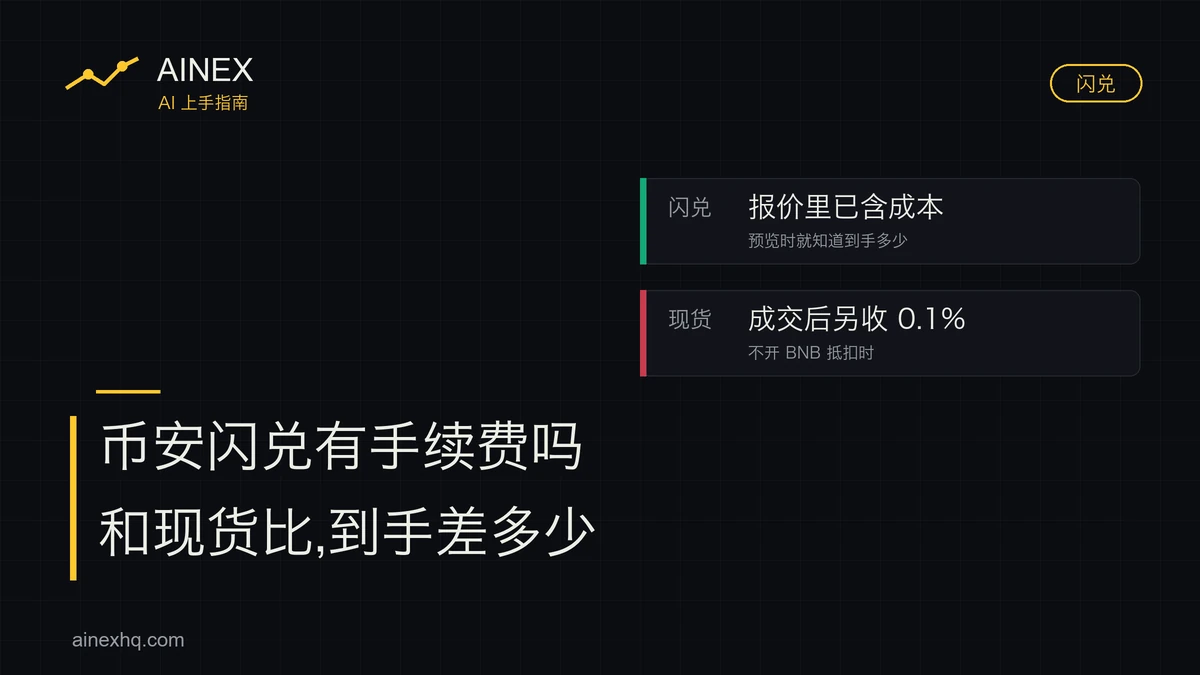
Binance Convert doesn't add a 0.1% trading fee on top of your trade. Its cost is already inside the quote: the amount shown when you preview the conversion is the amount that arrives in your account, and nothing more is deducted after you confirm. A spot market order is charged differently. Its price follows the order book, and once it fills Binance takes 0.100% at the regular-user rate (0.075% with the BNB fee discount switched on). So for anyone asking whether Convert has a fee, the comparison that matters is how much crypto the same money buys: the amount in the Convert preview against the spot amount after the fee.
The cost of Binance Convert is built into the quote
The Convert FAQ in Binance's Help Center has one question on exactly this: whether Convert charges any trading fees, and why its quote differs from the market price. The parts of the answer that concern money come to this:
- a Convert quote doesn't include a traditional trading fee, and nothing is charged beyond the quote;
- the amount shown when you preview a conversion is the amount your account actually receives;
- the quote is displayed dynamically, based on multiple factors including but not limited to current market conditions; it changes in real time and differs from prices on other markets, Binance's own spot platform included;
- the system locks the quote for a short time so you can decide whether to confirm.
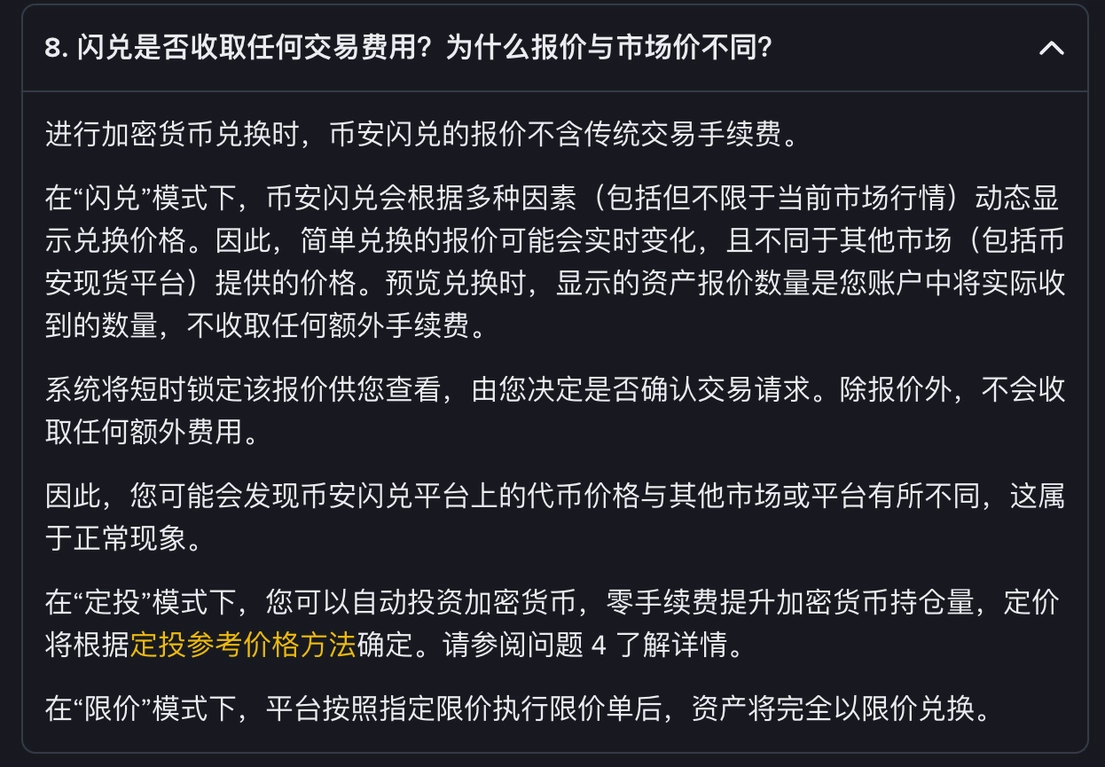
Read together, those lines mean that having no separate fee line doesn't make Convert free. The gap between the quote and the spot price is what a conversion costs you. It never appears as a row labelled 0.1% fee; it shows up in how many coins you get. The same answer calls it normal for Convert prices to differ from those on other markets and platforms, so a Convert quote that doesn't match the last price on the markets page is no sign that the page has gone wrong.
The same FAQ answer also covers two other modes. Recurring purchases through Convert carry zero fees and are priced by Binance's reference-price method for recurring buys. In limit mode, once the limit order executes, your assets are converted entirely at the limit price you set.
The previewed amount can change: Binance's guide to using Convert explains that the quote is tied to the latest market price and refreshes automatically after a while; the shorter app version of the guide describes the quote as expiring, with a button to refresh it. After a refresh, the amount you'd receive changes too. A previewed figure holds only for that one quote.
Convert vs spot market order vs Convert limit, item by item
All three can turn USDT into BTC. They differ in how you're charged, where the price comes from, and when you find out how much you'll receive. The spot column uses the regular-user rate, meaning accounts with 30-day trading volume below 1,000,000 USD.
| Item | Convert | Spot market order | Convert limit |
|---|---|---|---|
| How the fee is charged | The cost is inside the quote, with no separate fee | 0.100% charged after the fill (0.075% with the BNB discount on) | Binance says assets convert entirely at your limit price once the order executes, and lists no separate fee |
| Where the price comes from | A quote Binance sets dynamically from multiple factors, which differs from the spot price | Sell orders on the order book, starting from the best ask | The limit price you set yourself |
| When you know the amount you'll get | At the preview, since the previewed amount is what you receive | Only after the fill; before ordering you can only estimate from the best ask | It can be worked out from the limit price, but there's no telling whether the order will execute |
| Can you set a price and wait? | No. It converts at the current quote | Not with a market order; waiting at a price means using a spot limit order | Yes. You can set an expiry, for example 30 days, and the order is cancelled automatically if the limit hasn't been reached by then |
| Assets while the order is open | Doesn't apply, as the conversion is instant | Doesn't apply, as the fill is instant | Locked for the validity period; the order can be cancelled from the open orders list |
| Can it fail to execute? | It converts once confirmed; large amounts may be split into smaller orders and settled gradually | It fills against the orders on the book at that moment | It may not execute even if the market price briefly reaches or passes the limit |
With Convert you see the amount first and then decide whether to go ahead; with a spot market order the trade happens first and you see the amount afterwards. For a beginner who only wants to turn 100 USDT into a bit of BTC, knowing the number up front takes away a worry. The price of that convenience is that the page never breaks out how much cost has already been taken out of the number.
Convert settlement is usually instant; in some cases it completes within a few hours of confirmation. When the amount exceeds the instant-settlement limit, the system splits it into smaller orders and settles them gradually. During settlement you can cancel the part that hasn't settled yet; the part already settled can't be reversed.
How to compare what the same money gets you on Convert and on spot
Because Convert's cost isn't itemized, the only way to tell whether a given conversion is a good deal is to compare the amounts received. Both figures have to be noted at the same moment:
- Open Convert (in the app, tap the yellow trade icon on the home screen and choose Convert; on the web it's under the Trade menu, in the entry for Convert and block trading). Choose the coins, enter the amount and tap the button that previews the conversion. Write down the amount you'd receive and call it Qc. Don't confirm the conversion yet.
- Switch to the spot page and look at the current best ask for the same pair. Call it P.
- The amount a spot market buy would deliver is roughly Qs = amount ÷ P × (1 − 0.1%). That's without the BNB discount; with it on, use 0.075% as the cost in the comparison.
- If Qc is larger than Qs, Convert gives you more on this trade; if Qc is smaller, spot does.
Estimating from the best ask is an approximation. A buy large enough to use up the orders at the best ask fills the rest at higher ask prices, so the amount actually received comes out slightly below the formula. Small buys are barely affected; the larger the amount, the more this matters.
Suppose you buy BTC with 100 USDT, the spot best ask is 100,000 USDT, and the Convert preview shows 0.000998 BTC (all three numbers are made up for the example):
- theoretical amount at the best ask with no fee at all: 100 ÷ 100,000 = 0.001 BTC;
- spot market order: 0.001 × (1 − 0.1%) = 0.000999 BTC, which is 0.1% below the theoretical amount;
- Convert: 0.000998 BTC, and 0.000998 ÷ 0.001 = 0.998, which is 0.2% below the theoretical amount;
- the difference between the two: 0.000999 − 0.000998 = 0.000001 BTC, about 0.1 USDT at a price of 100,000, or 0.1% of the 100 USDT.
Under these assumptions, Convert delivers about 0.1 percentage points less than spot. If the preview showed 0.000999 BTC or more, Convert would be no worse than spot. The Binance fee calculator works out the spot fee for other amounts and rates.
Binance's guide to using Convert describes large orders as getting a better quote on Convert than on the spot market. That is Binance's own claim. On a large order a small percentage difference is real money, yet large orders are also where the best-ask formula is least accurate: an amount that eats through the best ask leaves you with less on spot than Qs suggests. For a big order, estimate P as the average of the ask levels the amount would consume, then compare Qs with Qc.
When to use Convert, and when to switch to spot or a Convert limit order
Convert is enough if you're converting a small amount once in a while and would rather not read an order book. On the assumptions above, a gap of 0.1 percentage points on 100 USDT comes to 0.1 USDT. Binance positions Convert for beginners who find the traditional trading interface too complicated, since there's no order book to read, and it is only open to users who have completed identity verification.
If you haven't made a first purchase on Binance yet, the full route runs from buying USDT through C2C to buying BTC on spot.
Convert can draw on your spot account, funding account and flexible Earn balance at once, in that order: spot, then funding, then flexible Earn. If you need to pay 300 USDC and each of the three holds 200 USDC, 200 comes out of spot and 100 out of funding. With money spread across several accounts, there's no need to move it around first.
If you trade often, in large single amounts, and care about every trade, run the comparison from the previous section before converting. Convert trades also count toward spot trading volume in the VIP program (conversions of old tokens to new ones excepted), so volume done through Convert isn't wasted.
If you'd rather set a price and wait for it, you can place a limit order on spot. Convert has a limit mode as well, with an expiry you choose, say 30 days, after which the order is cancelled automatically if the limit hasn't been reached. Once a Convert limit order is placed, the assets in it are locked for the validity period and can't be used in the meantime. Even if the market price briefly reaches or passes your limit, the order may not execute; whether it does depends on the quote, the limit price, market depth and liquidity. An open order can be cancelled from the open orders list.
Convert's recurring mode buys a little automatically at regular intervals, with zero fees and a choice of every 1, 4, 8 or 12 hours, or daily, weekly, every two weeks or monthly.
There's no single minimum amount. The web version of the guide to using Convert mentions conversions worth as little as 0.01 USD, the shorter app version says as little as 1 USD, and the FAQ says the minimum and maximum amounts depend on the pair. Check the limits shown for your pair before entering an amount.
Convert quotes, conversion history and VIP volume
Why is the Binance Convert price different from the market price?
Binance sets the Convert quote dynamically from multiple factors, including but not limited to current market conditions. It changes in real time and differs from prices on other markets, Binance spot included; Binance describes this as normal. The amount shown at the preview is the amount you actually receive.
Where can I find my Binance Convert history?
Under Orders, in the conversion history. Records aren't limited to the last 90 days, but each query can cover at most 90 days, so older records have to be looked up one date range at a time.
Does Binance Convert count toward VIP trading volume?
Yes. Convert trades count toward spot trading volume in the VIP program, except conversions of old tokens to new ones, and the figures update the next day. Binance's spot fee rate page also notes that VIP trading volume covers total spot volume from spot, margin, Convert, copy trading and trading bots.
Keep reading
Binance fee calculator
Try maker and taker rates together with the BNB discount.
Your first buy: get USDT via C2C, then buy BTC
The full route from buying USDT through C2C to buying BTC on spot.
Tokenized stock fees and gas: how they're worked out, and how to save
The spot order fee and on-chain gas, looked at separately.